Your fitness data, beautifully clear.
Moonlite connects to Strava and turns your runs into a calm, simple view of how much you run and how fit you're getting.

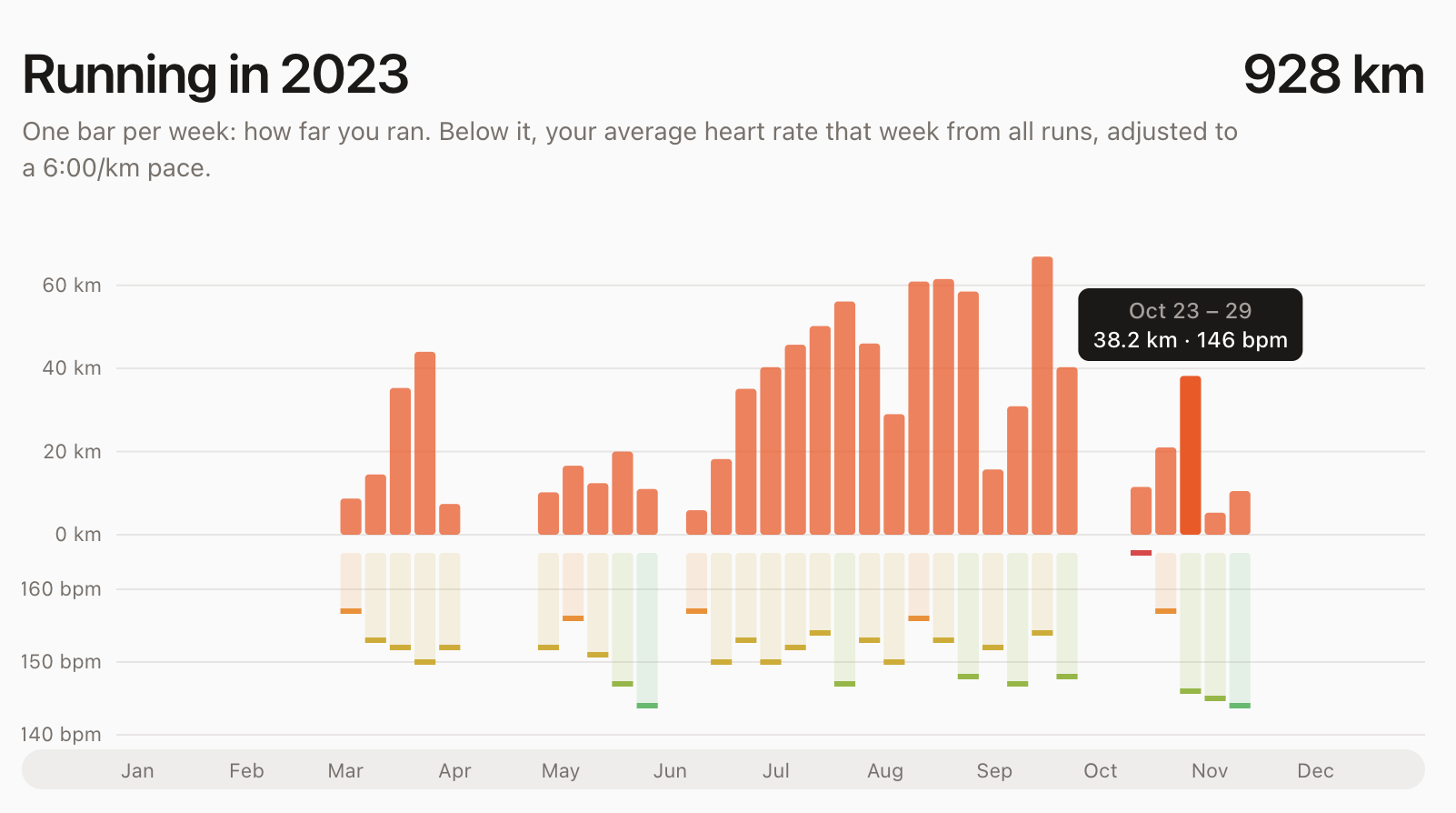
Everything you want to know about your running
Not another feed of stats. Just the few charts that tell you whether you're running enough and getting fitter.
Every week, every year
One clear chart per year, one bar per week, going back ten years. This week gets a small star, and the year's total sits right next to the title.
Heart rate that compares fairly
Easy jogs and hard runs don't compare on raw heart rate, so Moonlite adjusts each run to a 6:00/km pace. Green weeks are fitter weeks; red ones were harder work.
Four years of fitness
A month-by-month view shows the long arc: how much you run, and whether your heart rate is drifting down as you get fitter.
Pick the runs that count
Compare all your runs, or just the ones of a similar length, like your 5–10 km loops, with a single tap.
A weekly email
A short summary of your week in your inbox every Monday, so you don't have to remember to look.
Always up to date
Moonlite imports your whole history once, then checks Strava every hour. Edit or delete a run there, and it changes here too.
Up and running in a minute
There's nothing to set up and nothing to log by hand. Connect once, and Moonlite keeps your dashboard current on its own.
-
1
Connect Strava
Sign in with your Strava account and allow read-only access. Moonlite never posts to Strava or changes anything there.
-
2
We import your history
Every run you've logged comes in within a minute or two. After that, Moonlite checks for new runs every hour.
-
3
See how you're doing
Open your dashboard any time: weekly distance, heart rate adjusted for pace, and your four-year trend.
See your running clearly
Connect Strava and your dashboard is ready in a minute or two.